New to online business? Start with our free 7-day roadmap and build your foundation step by step.
Get the Free Roadmap →Ecommerce
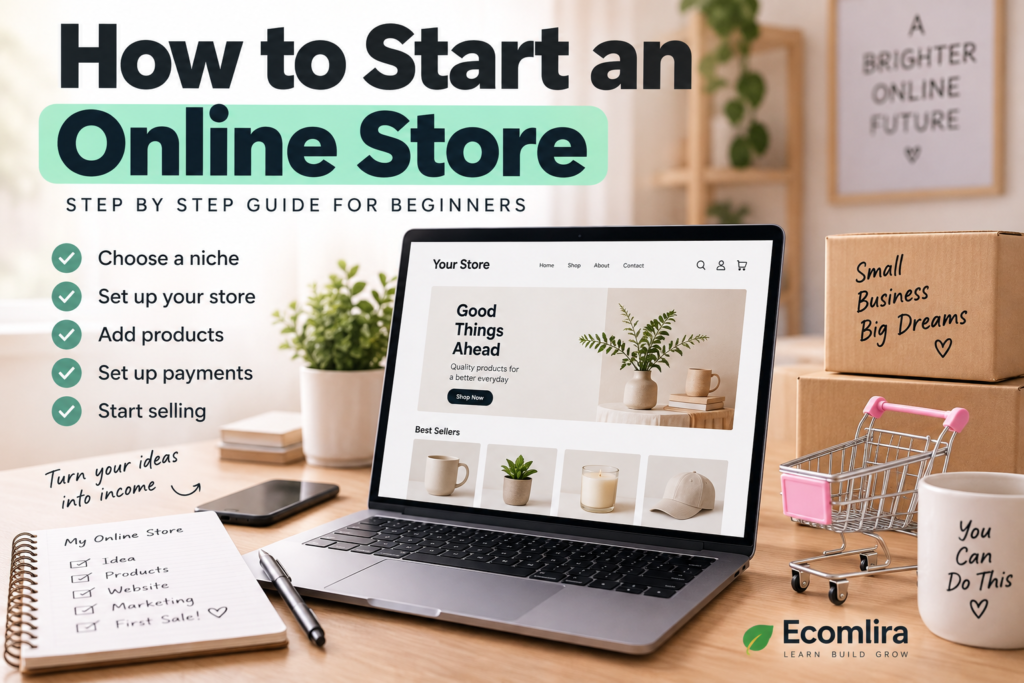
How to Start an Online Store
How to Start an Online Store
Starting an online store can seem overwhelming when you’re looking at everything at once. You need to choose what to sell, find customers, decide where to build your store, set up payments, handle shipping, and eventually make your first sale.
The good news is that you don’t have to figure everything out at the same time.
A better approach is to build your store step by step, starting with your target customer, product idea, and business model. Once those decisions are clear, choosing your platform and setting up the store becomes much easier.
If you’re completely new to ecommerce, our Ecommerce for Beginners: Everything You Need to Know guide explains the basics of how online selling works.
1. Decide What You Want to Sell
Before building a website, you need something to sell.
Your store could offer:
- Physical products
- Digital products
- Handmade products
- Private-label products
- Print-on-demand products
- Products from a supplier
- Services or subscriptions
Don’t feel pressured to launch with dozens of products. A smaller selection can actually make your first store easier to manage.
Think about what your potential customers need, what they are willing to pay for, and whether you can source or create the products reliably.
If you haven’t decided on a product yet, start by researching products to sell online rather than choosing something simply because it is currently trending.
Your goal is to find an offer that makes sense for both your customers and your business.
2. Choose Your Target Customer
Knowing who you want to sell to is just as important as knowing what you want to sell.
Imagine two stores selling skincare products.
One sells skincare products to everyone.
The other focuses on affordable skincare for people with sensitive skin.
The second store has a much clearer audience.
A defined target customer can help you make better decisions about your products, prices, branding, website design, content, and marketing.
Ask yourself:
- Who would benefit most from this product?
- What problem does it solve?
- What does this customer care about?
- Where do they usually shop?
- What might stop them from buying?
- What alternatives are they already using?
You don’t need to create a complicated customer profile. Start with a simple description of the person you want to serve.
3. Choose Your Business Model
There are several ways to run an online store.
Traditional inventory
You purchase products from a supplier and keep them yourself. When someone orders, you package and ship the product.
This gives you more control over inventory and packaging, but you need money and space for stock.
Dropshipping
With dropshipping, you list products in your store without keeping the inventory yourself. When a customer orders, the supplier handles the fulfillment and ships the product to the customer.
This can reduce your upfront inventory costs, but you have less control over fulfillment and product quality.
Print-on-demand
You create designs that are printed on products when customers place orders.
This can work well for products such as clothing, mugs, posters, and accessories.
Handmade or self-produced products
You can also make the products yourself. This can give your store a unique identity, although production time and capacity can become important as orders increase.
The best online store business model depends on your budget, skills, available time, products, and long-term goals.
4. Research Your Product Before Spending Money
One of the biggest mistakes beginners make is building a store before checking whether people actually want the product.
Before purchasing inventory or paying for expensive services, research the market.
Look at:
- Search interest
- Competitors
- Marketplace listings
- Customer reviews
- Product prices
- Social media discussions
- Common customer complaints
- Shipping considerations
You can also use Google Trends to compare search interest over time and see whether interest in a topic is seasonal or relatively consistent.
Don’t interpret popularity as a guarantee of sales.
A product can receive plenty of searches and still be difficult to sell profitably.
For a deeper look at this process, read How to Validate a Product Idea Before Selling Online.
5. Choose an Ecommerce Platform
Next, you need somewhere to build your store.
An ecommerce platform provides the tools you need to create product pages, manage orders, accept payments, and operate your store.
Some popular options include:
- Shopify
- WooCommerce
- Wix
- BigCommerce
There isn’t one platform that is perfect for every business.
When comparing platforms, consider:
- Monthly cost
- Transaction fees
- Ease of use
- Design options
- Payment methods
- Shipping features
- Available integrations
- SEO features
- Ability to grow with your business
For example, Shopify is designed specifically around ecommerce and provides tools for creating and managing an online store. WooCommerce works with WordPress and can provide more flexibility for people who want greater control over their website.
Don’t choose a platform simply because someone online says it is the “best.”
Choose the one that fits what your store actually needs.
6. Choose a Domain Name
Your domain is the web address customers use to find your store.
For example:
yourbrand.com
Try to keep your domain:
- Short
- Easy to spell
- Easy to remember
- Related to your brand
- Free from unnecessary numbers or complicated characters
Ideally, your domain should match or closely relate to your business name.
Check the availability before committing to a brand name, because changing your name later can create unnecessary work.
7. Build Your Online Store
Now you can start building the actual website.
You don’t need an elaborate design.
Your priority should be creating a store that is clear, trustworthy, and easy to use.
At minimum, most stores should have:
- Homepage
- Product pages
- Shopping cart
- Checkout
- About page
- Contact page
- Shipping information
- Return/refund information
- Privacy policy
- Terms and conditions where applicable
Your navigation should make it easy for visitors to understand where they are and where they can go next.
Avoid filling every section with animations, pop-ups, or unnecessary features.
A simple store that works well is better than a beautiful store that makes shopping difficult.
8. Create Your Product Pages
Your product pages are some of the most important pages on your website.
A good product page should answer the questions a customer is likely to have before buying.
Include:
Product name
Make it clear what the product is.
Product photos
Show the product from different angles and, when useful, demonstrate how it is used.
Product description
Explain what the product does, who it is for, and what makes it useful.
Price
Make the price easy to find.
Variations
If the product comes in different sizes, colors, or styles, make the options clear.
Shipping information
Tell customers when they can expect their order and what shipping options are available.
Returns
Make your return policy easy to find.
A strong product page shouldn’t feel like a sales pitch from beginning to end. It should give customers enough information to make a confident decision.
9. Set Up Payments
Your customers need a convenient and secure way to pay.
Depending on your location and platform, you may be able to offer options such as:
- Credit and debit cards
- Digital wallets
- Bank transfers
- Other local payment methods
Choose payment options that make sense for your target customers.
Before launching, place a test order if your platform allows it.
Check that:
- Payment works
- The order is recorded correctly
- Confirmation emails are sent
- Inventory updates correctly
- The customer receives the right information
A small checkout problem can prevent an otherwise interested customer from completing a purchase.
10. Decide How You Will Handle Shipping
If you’re selling physical products, shipping needs to be planned before you launch.
Think about:
- Where your products are stored
- Who will package orders
- Which carrier you will use
- How much packaging costs
- How much shipping costs
- Delivery times
- International shipping
- Returns
You can charge customers for shipping, offer free shipping, or use a combination depending on your business model.
If you offer free shipping, remember that the shipping cost doesn’t disappear. It simply becomes part of your business expenses.
For that reason, calculate shipping before deciding on your product prices.
11. Set Your Product Prices
Pricing is one of the most important decisions you’ll make.
Don’t calculate your price using only the product’s purchase cost.
Your total costs might include:
Product cost + packaging + shipping + payment fees + platform fees + advertising + returns + other business expenses
For example, if a product costs €8 from your supplier and you sell it for €20, that doesn’t automatically mean you make €12.
You may still have shipping, payment processing, packaging, advertising, taxes, returns, and other expenses.
Your price should make sense for the market while giving your business enough room to cover its costs.
We’ll go deeper into pricing in a future Ecomlira article: How to Price Products for an Online Store.
12. Make Your Store Trustworthy
Customers are taking a risk when they buy from a store they’ve never used before.
Your job is to reduce that uncertainty.
A trustworthy online store should clearly show:
- Who operates the business
- How customers can contact you
- Product information
- Shipping details
- Return policies
- Payment information
- Privacy information
- Customer reviews when available
Your website should also look consistent.
Use the same brand name, colors, typography, product photography style, and tone throughout the store.
Don’t make your store look more established than it actually is.
Instead, focus on being clear, honest, and professional.
13. Test Everything Before Launching
Before announcing your store publicly, go through the entire customer journey yourself.
Visit the homepage.
Open a product.
Add it to the cart.
Go through checkout.
Check the shipping information.
Look at the confirmation email.
Try the website on your phone.
Check your links.
Make sure product images load properly.
Read your product descriptions.
This process can reveal problems that aren’t obvious while you’re building the site.
A friend or family member can also try navigating the store and tell you where they become confused.
14. Launch Your Store
Once the essential parts are working, you can launch.
You don’t need to wait until everything is absolutely perfect.
A new store will probably need improvements after real customers begin using it.
Your first launch can be relatively small.
You might start by sharing your store with:
- Your social media audience
- Email subscribers
- Relevant online communities
- Existing contacts
- Content audiences
- Search traffic
The goal isn’t to make hundreds of sales immediately.
Your first stage is about learning.
Pay attention to what people click, which products get attention, what questions customers ask, and where people leave your website.
15. Start Marketing Your Store
Creating an online store doesn’t automatically bring visitors.
You need a way to reach potential customers.
Some options include:
SEO
Create useful content that answers questions your potential customers are searching for.
Social media
Share useful content, product demonstrations, educational posts, and behind-the-scenes material.
Email marketing
Build a list of people who want to hear from your business and communicate with them regularly.
Paid advertising
Ads can bring targeted traffic more quickly, but they cost money and should be tested carefully.
Marketplaces
Selling through marketplaces can give you access to customers who already shop there.
The right marketing mix depends on your product and audience.
Don’t try every channel at once.
Choose one or two that make sense for your customers and learn how they work.
For more beginner guidance, you can also read How to Start an Online Business: A Beginner’s Guide.
16. Track What Happens After Launch
Launching is not the end of the process.
Once people start visiting your store, you’ll have information that can help you improve it.
Watch things such as:
- Website traffic
- Product views
- Add-to-cart activity
- Completed purchases
- Conversion rate
- Traffic sources
- Customer questions
- Returns
- Best-selling products
For example, imagine that hundreds of people visit a product page but almost nobody adds the product to their cart.
That could mean the price, product information, photos, offer, or customer trust needs attention.
The data won’t always tell you the exact problem, but it can show you where to investigate.
How Much Does It Cost to Start an Online Store?
There isn’t one fixed price.
Your costs depend heavily on the business model you choose.
You may need to budget for:
- Domain
- Ecommerce platform or hosting
- Products or inventory
- Samples
- Packaging
- Payment processing
- Shipping
- Marketing
- Business registration or professional services where applicable
- Software and apps
A dropshipping or print-on-demand business can reduce the need to purchase inventory upfront, while a traditional retail model may require more money before launch.
That’s why the question isn’t simply “How much does an online store cost?”
The better question is:
“What will my particular business need to spend money on?”
We’ll cover this in more detail in How Much Does It Cost to Start an Online Store?
Common Mistakes When Starting an Online Store
Choosing a product before researching demand
A product may look promising without having enough customers willing to buy it.
Spending too much before testing
You don’t necessarily need expensive branding, a huge inventory, or a large advertising budget before you know whether your idea works.
Trying to sell everything
A focused store can be easier for customers to understand than a website selling completely unrelated products.
Ignoring shipping costs
Shipping can significantly affect your actual profit.
Making the website difficult to use
Complicated navigation, unclear product information, or a confusing checkout can cost you sales.
Expecting immediate success
Some stores make their first sale quickly. Others take much longer.
There is no reliable timeline that applies to every new business.
The important thing is to learn from the results instead of assuming that a lack of immediate sales means the entire idea has failed.
Frequently Asked Questions
How much money do I need to start an online store?
There is no universal starting amount. Your budget depends on your business model, products, platform, marketing strategy, shipping requirements, and other expenses. You can reduce upfront costs by starting with a small product range or using models such as dropshipping or print-on-demand.
Can I start an online store with no experience?
Yes. Ecommerce platforms have made it possible for beginners to create stores without advanced technical skills. However, you’ll still need to learn about products, customers, pricing, marketing, payments, shipping, and customer service.
Can I start an online store from home?
Yes. Many online businesses can be managed from home. The amount of physical space you’ll need depends on your business model and whether you keep inventory yourself.
Do I need inventory to start an online store?
Not necessarily. Dropshipping and print-on-demand are examples of business models where you don’t have to purchase and store traditional inventory upfront. Digital products and services don’t require physical inventory either.
What should I sell in my online store?
Look for products that have a clear target customer, genuine demand, manageable costs, and a reasonable way to source and fulfill them. Research the market before making a significant investment.
Is Shopify the only way to start an online store?
No. Shopify is one option among several ecommerce platforms. WooCommerce, Wix, and BigCommerce are other examples. You can also sell through marketplaces such as Amazon and Etsy rather than relying entirely on your own website.
How long does it take to start an online store?
The technical setup can sometimes be completed relatively quickly, but building a successful business takes longer. Researching products, creating the store, preparing operations, attracting customers, and improving the business are ongoing processes.
Final Thoughts
Starting an online store doesn’t require you to know everything before you begin.
Start with the basics: decide what you want to sell, understand who you want to sell to, choose a suitable business model, research your idea, and select a platform that fits your needs.
Then build a simple store, make sure customers can understand your products, test the checkout process, and launch when the essentials are ready.
Your first version won’t necessarily be your final version.
As you get real visitors and customers, you’ll learn what needs to change. You can improve your product selection, website, pricing, marketing, and customer experience over time.
The goal isn’t to create a perfect store before anyone sees it.
The goal is to create a useful store, get it in front of the right people, learn from what happens, and keep improving.
5 thoughts on “How to Start an Online Store”
Comments are closed.
[…] guide on how to start an online store walks through this process in much more practical detail, covering platform choices and setup […]
[…] you’re still working through the earlier stages of setting up your store, our guide on how to start an online storecovers how pricing fits into the broader launch process alongside product selection and platform […]
[…] sales channel. If you’re still building out your actual store to connect, our guide on how to start an online store covers that foundational […]
[…] still setting up the store this traffic will eventually funnel toward, our guide on how to start an online store covers that foundational setup in […]
[…] beginner build a functional store without needing custom development work. Our guide on how to start an online store covers platform selection and the essential pages every store needs — an about page, clear […]